


How to Change Your Email at Phnom Penh HR for Employer Account
Note: If you cannot solve this problem, please contact us now via 093 682 682 | 078 868 848 | info@pp-hr.com
If you want to change your current email registered as employer account to your new email, please follow these three steps:
1. Go to Phnom Penh HR website : www.pp-hr.com

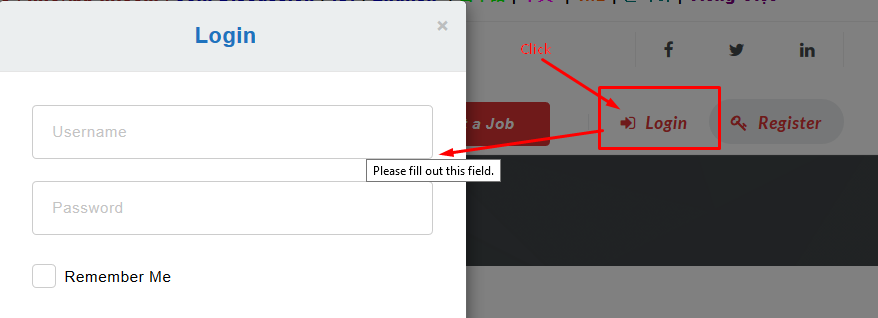
2. Click Menu Login, and fill your username/email and password

3. Click and Choose the following points:
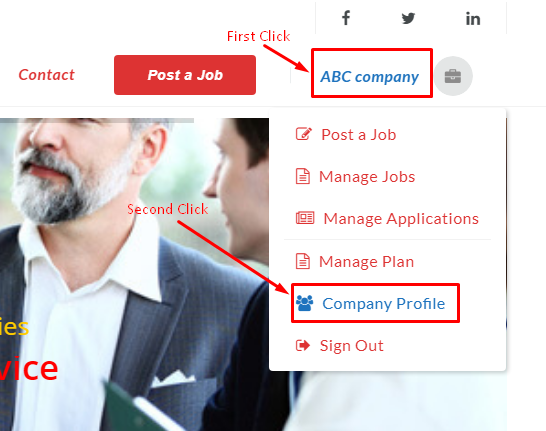
– Click Your Company Name
– Choose Company Profile
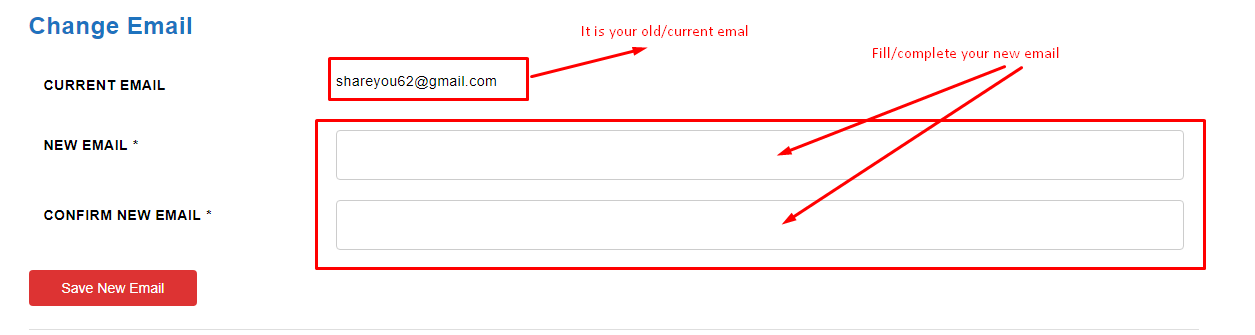
– Fill your new email twice
– Click Save New Email


For any questions, please contact us now 24/7 via 093 682 682 | 078 868 848 | info@pp-hr.com